THE LOCAL MEETING NOTETAKER
Record any kind of meeting
Online calls are detected automatically, in-person meetings record from the mic — plus any running app, or files you already have.
 Zoom
Zoom Microsoft Teams
 Google Meet
 Slack Huddles
 Tencent Meeting
 Lark Meetings
 DingTalk
Recording starts when you join. No bot — the other side sees nothing.
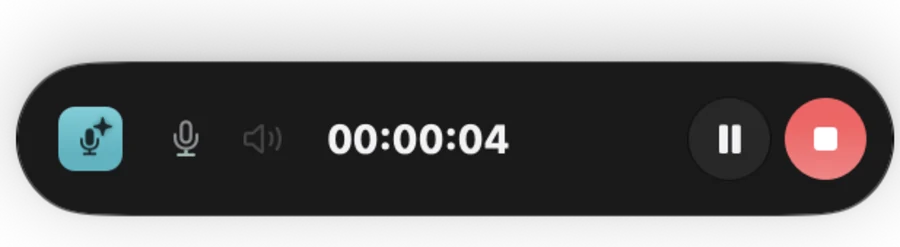
Open the mic and go — same transcript, speakers, and notes.
 Chrome
 WhatsApp
 WeChat
 Podcasts
Browser calls, webinars, podcasts — pick an app, record just it.
Drop in recordings you already have — transcribed into notes all the same.
Zone out. It has your back.
Recording stops 10s after everyone leaves, then the notes write themselves — whether you were paying attention or not.
Grabbing a coffee, afraid to miss something?
Relax — MeetKeep remembers it for you.
Meeting dragging on, tempted to scroll?
Relax — MeetKeep never leaves.
A one-hour meeting, caught up in one minute
English, Chinese, and 25 European languages including German, French, Spanish, Russian and Portuguese — with speakers recognized automatically across meetings.
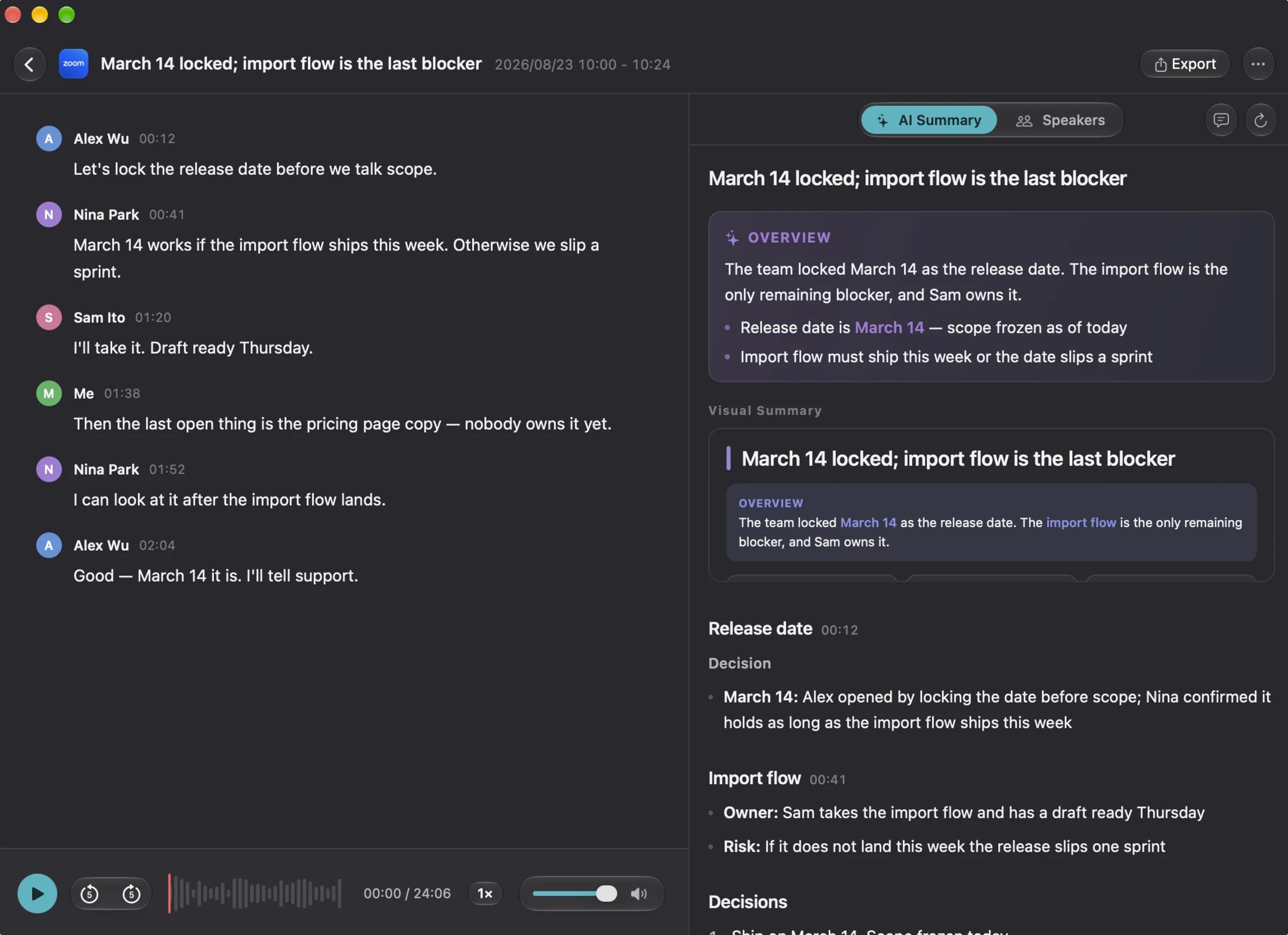
The team locked March 14 as the launch date. The new pricing page is the only thing still in the way, and Sam owns it.
- •Launch date is March 14 — scope frozen as of today
- •The pricing page must be ready this week, or the launch moves to the 21st
March 14: Alex opened by locking the date before scope; Nina confirmed it holds if the pricing page is ready this week.
Owner: Sam takes the pricing page and has a first draft Thursday. Risk: if it slips, the launch moves to March 21.
Action items, spotted automatically
No manual note-taking — action items are summarized for you and matched to the owner who took them in the meeting.
“Um, so — March 14 works if, you know, the pricing page is ready this week. Otherwise we, uh, push a week… I’ll take it. First draft Thursday, probably…”
…23 more minutes of thisYour agent takes it — you just meet
MeetKeep ships an MCP server — one click from Claude Code, Codex and the agents you already use. When the meeting ends, just tell your agent: build what we discussed.
Four things no other notetaker combines
Nothing appears in the participant list. The other side never sees a recorder.
Transcription runs on this Mac. Audio is never uploaded.
About three and a half months of Otter Pro. Every year after: $0 — free updates forever.
Enroll a voice once — every future meeting is labeled by name, automatically.
Record the ones you couldn’t before
Client calls, comp reviews, legal discussions — the ones you would never put through a cloud tool. Transcription and speaker recognition run on this Mac; audio is never uploaded.
The only network traffic: license checks, update checks, one-time ASR model downloads, anonymous usage stats you can switch off — and, only if you turn it on, transcripts sent to your own AI provider. Full privacy policy →
Buy once, updated forever
No per-seat pricing — unlimited meeting duration.
- Lifetime free updates, no subscription
- One license, 2 Macs
- Native and lightweight, built entirely with AppKit
- 7-day trial, 14-day refund
Questions
Does the audio get uploaded?
No. Recording, transcription, voiceprints, and screen content all stay on this Mac. Client calls, comp reviews, and legal discussions — the ones you would never put through a cloud tool — are safe to record.
Which languages can it transcribe?
English, Chinese, and 25 European languages including German, French, Spanish, Russian and Portuguese. Language models download once, then transcription runs fully offline with no network required.
Which meeting apps are supported?
Auto-detect: Zoom, Microsoft Teams, Google Meet, Slack Huddles, Tencent Meeting, Lark, and DingTalk. For browser calls or in-person meetings, recording mode works the same — system audio plus mic, independent of the app.
Why do I need my own API key?
Notes are optional and need a language model to write them. MeetKeep isn't tied to any provider — bring your own key from OpenRouter, OpenAI, Anthropic, DeepSeek, or anywhere else. Only text is sent; audio never leaves your Mac.
How do the trial and refunds work?
Download and use it right away: a 7-day full-featured trial with no account and no card. After purchase there is a 14-day no-questions refund — email us, or request it in the payment provider’s portal.
How is MeetKeep different from Otter or Granola?
They are cloud subscriptions that process your audio on their servers. MeetKeep is a $59 one-time Mac app — yours forever with free updates: transcription, voiceprints, and notes all happen on your machine, no bot joins your calls, and there is no monthly bill. See 12 notetakers compared →